01
3D Visual Editor
See the shelf in 3D. Drag from the Item Library and let positions snap into place with facings and real product size.
A modern planogram editor built for speed. Build the shelf the way it should look on the floor. Fixtures, Products, Positions, and Impressions in one editor. It feels closer to building the shelf than filling out a form. Share a read-only link when vendors or field teams need the view.
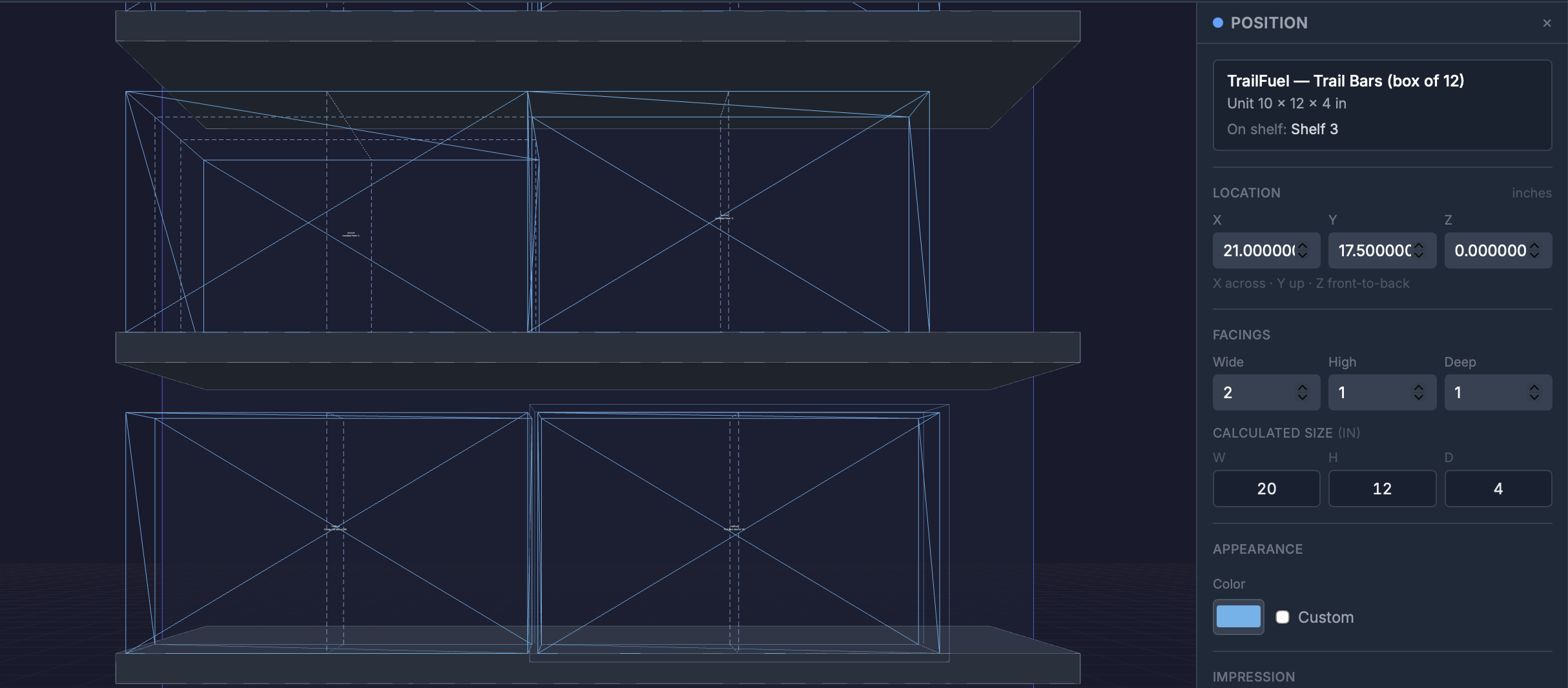
See the shelf in 3D. Drag from the Item Library and let positions snap into place with facings and real product size.
Shelves, peghooks, bins — the structure of the plan. Set dimensions and how fixtures attach as you build.
Your catalog in one place: UPCs, dimensions, brands, categories, and more. Update products without losing history.
Where each product sits, and how many facings wide, high, and deep. Space is calculated from real dimensions.
Print-ready shelf-edge labels from what you placed in Visual. Preview with live product data, then print, or send the same layout to your electronic shelf labels.
One person edits at a time so work doesn't get overwritten. Share a read-only link for vendors and field teams.
That's the way it works today. Space Place renders Impressions from the same Position data the editor uses, so labels stay accurate and resets get faster every cycle.
Designers ship a planogram PDF. The store manager prints labels from a spreadsheet. Half the prices are wrong by the time the reset wraps.
Impressions render from live Product data. Print shelf labels straight from the position, or update your electronic shelf labels from the same source. Paper or electronic, the price on the shelf-edge equals the price in the database, every time.